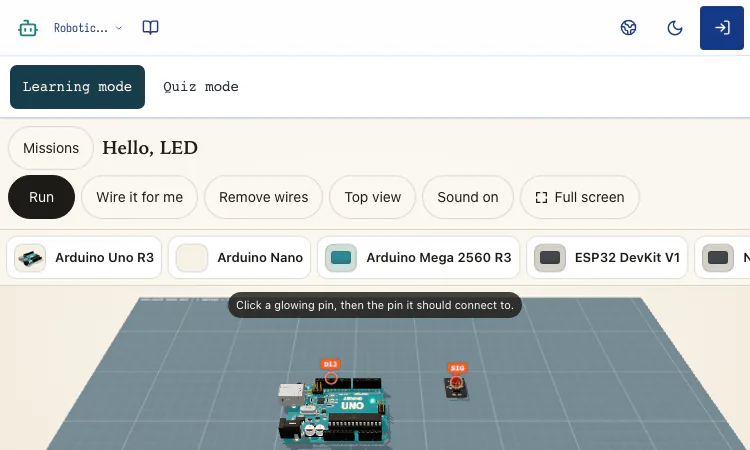
Robotics Lab is an interactive 3D explorer for the boards in your parts drawer — Arduino Uno R3, Arduino Nano, Arduino Mega 2560 R3, ESP32 DevKit V1, NodeMCU, Raspberry Pi Pico, STM32 Blue Pill and Raspberry Pi 4 Model B, all modeled and wired on a virtual bench in your browser. For makers, the Robotics Lab app answers the question that comes before every project: which board should this be, and where exactly are its pins? Rotate it, zoom it, wire it, and only then decide whether it deserves a spot in your next build.
Every maker accumulates boards faster than familiarity with them. Robotics Lab fixes that by putting eight of them side by side in one interactive 3D scene. Open the Robotics Lab app and compare a compact Nano with a larger Mega 2560, or inspect the connectors on a Raspberry Pi 4 Model B, switching between boards with a single click. Because Robotics Lab builds each model procedurally — including board markings and parts — you are never looking at a photograph from one fixed angle; every header, USB port and mounting hole stays inspectable.
The board lineup in Robotics Lab covers the connector families a maker actually meets:
Seeing these inside the Robotics Lab app, back to back, teaches form factors and power arrangements faster than any comparison table on a product page.
Exploration in Robotics Lab is not passive. The app includes eleven guided circuit missions that run from a blinking LED to sensors, displays, board communication and a robot controller. Each mission lets you wire the circuit pin by pin: the Robotics Lab app highlights the target, you click its partner, the wire connects, and a checklist tracks what remains. Before power-up, Robotics Lab checks the teaching circuit — so a missing ground or an unfinished signal line is caught on the virtual bench instead of on your real one.
💡 Maker tip: press Run in Robotics Lab and watch the modeled response — knobs, buttons, servos and motors answer your wiring. Stop the simulation, change the circuit, and repeat. The virtual bench consumes no parts and breaks nothing.
The bench ships with buttons, potentiometers, servos, motors and LED modules, and unlocked makers get a free build mode — an empty bench for testing an idea before committing it to perfboard.
Makers who teach, blog or run workshops will appreciate the Robotics Lab quiz mode. Find the part tests recognition on the 3D model; Assemble it tests where components belong. Robotics Lab keeps these exercises on the same boards you explored, so what you learn in one mode is immediately testable in the other. Quiz best scores stay local in the browser — your record of progress, with no account plumbing around it.
Three missions and three boards in Robotics Lab are free, forever, with no account needed. Everything else — all eight boards, eleven missions, free build and quizzes — is a single $10 purchase tied to your Google account and valid across devices. One payment, no subscription: Robotics Lab is priced the way maker tools ought to be.
Robotics Lab is an educational model, not an electrical simulator. It is useful for early orientation and practice; verify exact pin ratings, electrical limits and supported libraries in the board documentation before moving to physical hardware. Within that scope, the Robotics Lab app is the fastest board-familiarity tool a maker can keep open in a browser tab.
Makers buy too much, too early — a drawer full of boards is often the result of guessing which one a project needs. Robotics Lab works as the research step that comes before any purchase. Before ordering, open the Robotics Lab app, load the candidate board, and inspect the things product photos hide: how tightly the headers are spaced, where the USB connector sits relative to mounting holes, how much free header room a project will actually have. Ten minutes inside Robotics Lab answers questions that would otherwise cost a shipping cycle to discover.
The same logic applies at the family level. If a project might fit either an ESP32 DevKit V1 or a NodeMCU, Robotics Lab lets you wire the canonical circuit on both, compare pin arrangements in the same 3D scene, and choose with evidence. If the shortlist is Pico versus a small Arduino, the Robotics Lab missions expose the wiring differences — and the pin-count consequences — long before checkout. Used this way, the Robotics Lab app routinely saves more than its own price on the first avoided wrong purchase.
The Robotics Lab app pairs naturally with datasheets rather than replacing them: confirm form factor and wiring logic in the interactive 3D scene, then read the electrical specifics in the official documentation. That combination — spatial familiarity from Robotics Lab, electrical truth from the datasheet — is the cheapest reliable research method a maker can run.
Q: Which boards can I explore in Robotics Lab?
A: Eight: Arduino Uno R3, Nano, Mega 2560 R3, ESP32 DevKit V1, NodeMCU, Raspberry Pi Pico, STM32 Blue Pill and Raspberry Pi 4 Model B — all interactive 3D models.
Q: Do I need an account to try Robotics Lab?
A: No. Start free without signing in; Google sign-in is only needed when you choose the one-time $10 unlock.
Robotics Lab - Explore Arduino, ESP32 and Raspberry Pi boards in interactive 3D, compare connectors and practise wiring before buying hardware.

Flying Roadster AI Video Generator makes a personal flying car video from your photos, with optional driver portrait and an easy path to share the result.

GCS Cheats provides undetected game hacks, aimbots, ESP, and verified configs across 41 multiplayer titles with instant digital key delivery.
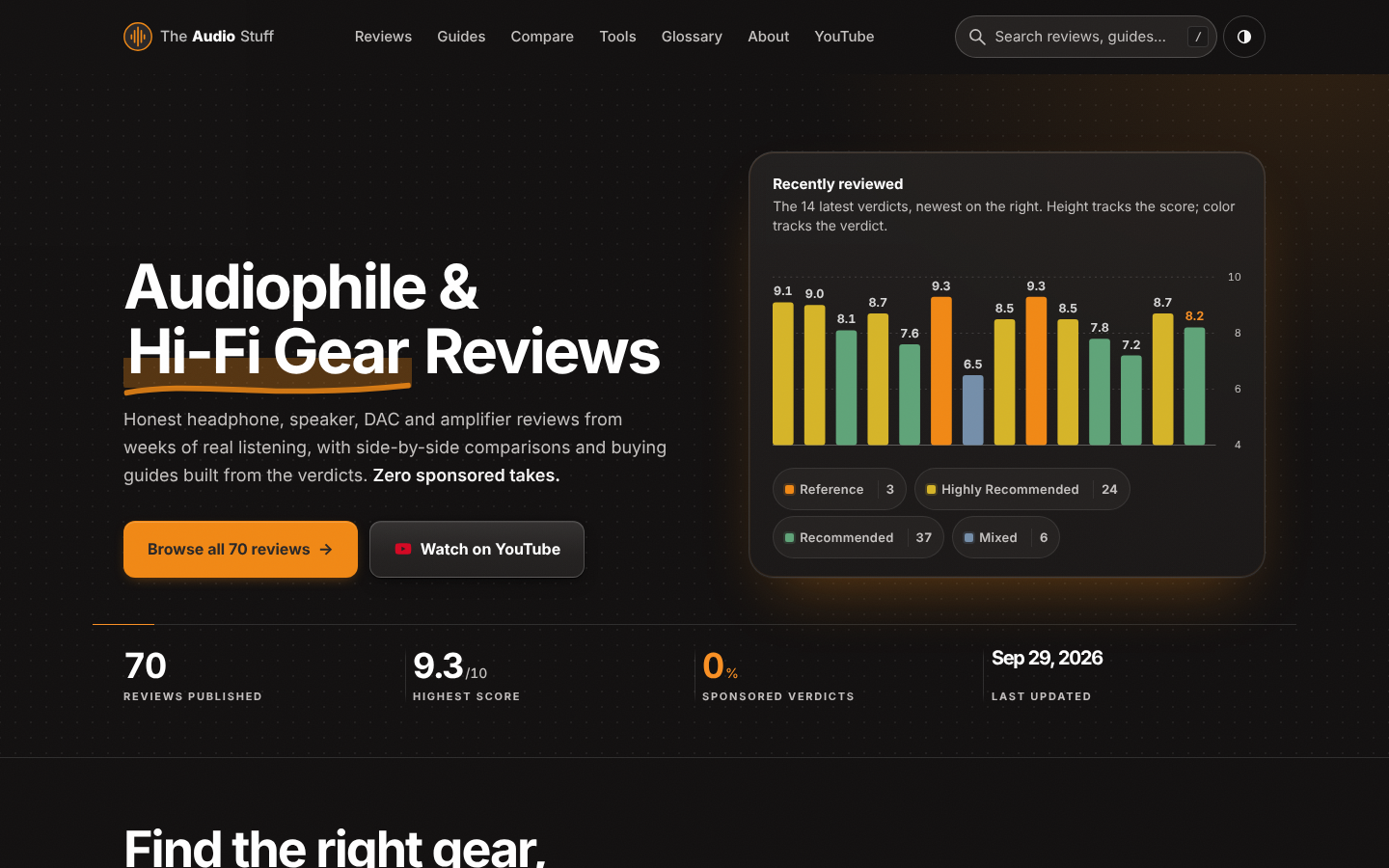
Headphone, DAC, amp and speaker reviews with pros, cons, price history and the one catch to know, from weeks of real listening. No ads, no affiliate links.

Project Moon Life is a free life simulator about personal choices, unexpected turns, and the stories that grow from a resident’s changing circumstances.

AI-powered face analysis that turns a photo into detailed measurements, style insights, and personalized recommendations.