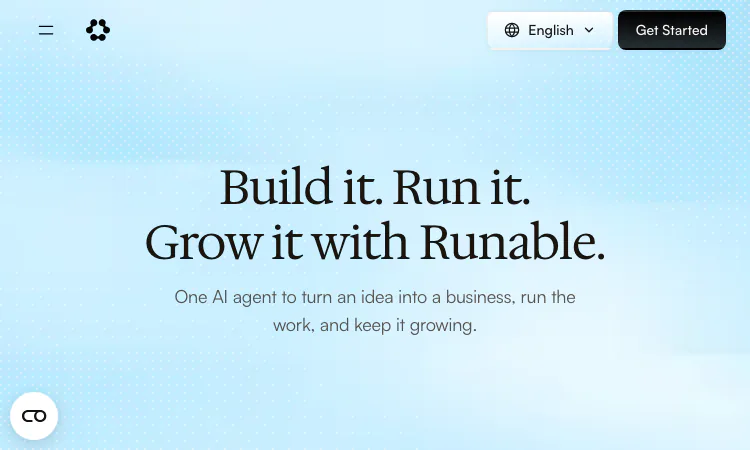
You do not need a migration plan or a consultant to try an AI agent. What you need is one real task, half an hour, and a little structure in how you ask. This guide walks through a first session with Runable from signup to a live result, using the free tier of Runable rather than a demo video.
Runable prices by credits, and the entry tier of Runable asks for no subscription at all: 1,500 credits every day, refreshed daily. That is enough for a genuine first project in Runable, which is exactly what a first session should be. Resist the urge to test Runable with a throwaway prompt like "write me a poem." Instead, bring a task you have been postponing — the booking page, the FAQ rewrite, the event announcement, the comparison you keep meaning to make.
Sign up, and if you prefer an app over the browser, download the native Runable client for iPhone and iPad, macOS, or Android. Windows is marked coming soon. The free tier of Runable already includes website and app building, slides and carousels, image creation, document and research work, multimodal chat with premium models, and the 3,000+ plugin library.
The most common mistake with any agent is skipping the planning stage. Runable structures work as Plan, Build, Grow, and the Plan stage of Runable rewards you for using it. Open a chat with Runable and describe your situation in plain words, then ask a question rather than issuing a build command.
Suppose you run a small repair business. Try: "Customers keep messaging to ask my hours and prices. What is the easiest way to fix that?" Runable will research and answer — the homepage's example is a studio owner asking Runable how to set up bookings and getting a mapped-out plan. Read the answer Runable gives. Correct anything Runable got wrong about your context. This correction loop costs almost nothing in credits and is what makes the later stages of Runable land well.
When the plan looks right, tell Runable to proceed. The Build stage of Runable produces the actual artifact: a page, a document, a deck, a clip. The company's same-day live booking site is the reference point for Runable — not because every site Runable builds finishes in an hour, but because Runable carries the task from plan to published without you assembling pieces between tools.
Watch the first thing Runable builds rather than walking away. Note where the output of Runable is right and where it is off. You are calibrating both Runable and your own prompting: specific context in, better artifact out. If the result from Runable is 80 percent correct, tell Runable which 20 percent to change instead of starting over.
Here is the step most beginners skip and most benefits come from. Once something exists, hand Runable the recurring version of the job. That booking page Runable made can now generate automatic sign-ups and reminders. That FAQ draft from Runable can grow into drafted answers for incoming support questions. That announcement can become a scheduled post with a carousel Runable attaches.
The company calls this the Grow stage of Runable and describes its behavior plainly: sign-ups and reminders happen automatically, posts go out on schedule, open rates get monitored, renewal dates and price drops get tracked. Standing work is also where the free tier of Runable gets consumed steadily — which is the honest signal that Runable is earning a paid plan.
One more habit makes standing work safe: schedule a fixed weekly review in your calendar. Ten minutes, same slot, reading what Runable did all week — which replies went out, which posts landed, which watches fired. The first review of anything Runable automates usually surfaces one or two instructions worth tightening, and each tightening makes the next week cleaner. Skip the review and small errors survive long enough to reach a customer; keep it and the system Runable runs stays calibrated to how you actually want things said.
A first session usually ends in the browser, but daily use of Runable migrates to wherever your messages live. You can run Runable from your DMs on the free tier. On the Pro plan at $20 a month — 25,000 monthly credits plus the daily 1,500 — Runable becomes reachable through Slack, Microsoft Teams, Telegram, iMessage, and Discord, with video creation, curated workflows, and Discord support added.
Two smaller habits complete the setup of Runable. Turn on Notetaker if meetings are part of your week, so Runable turns discussions into notes and actions without extra typing. And try Flow, which lets you speak into any app by voice — useful when your hands are busy and the task for Runable is a sentence long.
Upgrade on evidence, not enthusiasm. The signals are concrete: Runable is hitting the daily credit ceiling before lunch, your standing jobs in Runable are producing replies and posts you would otherwise pay for, and the drafted support answers from Runable keep needing only light edits. Then Pro fits. If you are running heavy video work through Runable or want unlimited chats in Ask mode, Max at $100 a month with 150,000 monthly credits is the ceiling; teams needing SSO or data localization should take the enterprise conversation with Runable instead.
One caution before you commit: third-party reviews of Runable include billing and support complaints alongside strong praise, so understand the auto-renewal terms of any Runable plan you enter. The disciplined path is simple — earn each tier of Runable with real work, keep one test task per tier, and let your own Tuesday tell you whether Runable pays for itself.

Flying Roadster AI Video Generator makes a personal flying car video from your photos, with optional driver portrait and an easy path to share the result.
GCS Cheats provides undetected game hacks, aimbots, ESP, and verified configs across 41 multiplayer titles with instant digital key delivery.
Headphone, DAC, amp and speaker reviews with pros, cons, price history and the one catch to know, from weeks of real listening. No ads, no affiliate links.

Project Moon Life is a free life simulator about personal choices, unexpected turns, and the stories that grow from a resident’s changing circumstances.

AI-powered face analysis that turns a photo into detailed measurements, style insights, and personalized recommendations.
Upload a photo. Get the maker, age, and value — Antique Scanner reads marks, materials and wear so you know what your antique is worth.
