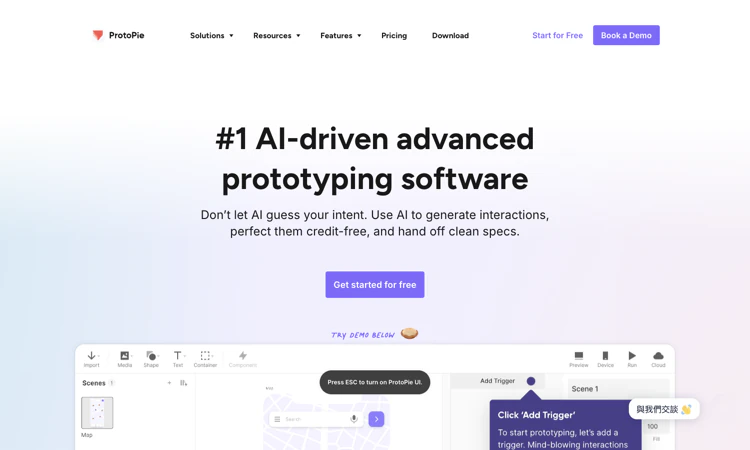
ProtoPie is an advanced interaction-prototyping platform for realistic product behavior and device experiences.
We are not the official developer of ProtoPie. This page helps users find, understand, and use the product.
ProtoPie helps designers model how a digital product behaves, including conditional responses, changing values, device inputs, and cross-device interactions. Its current homepage also presents AI-assisted interaction generation, MCP capabilities, and developer handoff. ProtoPie supports importing designs from tools such as Figma, Sketch, and Adobe XD, then adding behavior rather than treating each screen as a static presentation. Its public feature descriptions include variables, formulas, sensors, voice, hardware integration, and multiple displays. ProtoPie is useful when a team must test an experience that depends on state or an input sequence. The distinguishing output is a working prototype that can expose an interaction decision before production implementation. A prototype still needs a deliberate test case and engineering interpretation. This review inspected the website and pricing information without installing the authoring application or constructing a working prototype.
A visually appealing preview is only one part of a useful creative result. This edition concentrates on how the final deliverable communicates its subject, survives the target format, and preserves the intended meaning.
For ProtoPie, prepare a screen design and a precise description of the interaction, state, and device input to be tested. The target deliverable is a previewable interaction prototype and an understandable specification for reviewers or engineers. Use this as an acceptance condition rather than assuming that every completed draft or preview is ready for its final audience.
Before calling a ProtoPie project complete, check initial state, conditional behavior, timing, error recovery, device input, and the clarity of the handoff. Preserve the original material so a correction can be traced to the source. Keep a copy of the accepted deliverable through the available official workflow, especially when storage or access is limited.
Judge ProtoPie using the final viewing or delivery context. Start with one input validation or state-change flow with an expected result for both success and failure, then define the intended result as a previewable interaction prototype and an understandable specification for reviewers or engineers. Inspect the result at the scale and in the format where it will actually be used; a large preview can hide problems that matter on a phone, in a prototype, or on a physical miniature.
During the ProtoPie review, check initial state, conditional behavior, timing, error recovery, device input, and the clarity of the handoff. Separate an aesthetic preference from a factual or functional error. A style change may be optional, while a wrong claim, missing interaction state, or incorrect product size can invalidate the result. Keep the original source nearby so revisions have a reliable reference.
A strong ProtoPie creative decision also acknowledges constraints: Complex logic requires testing; Cloud prototype counts, scene limits, local saving, team features, MCP access, and hardware-related add-ons differ across plans. Ask a second person to explain what the result communicates without giving them your original brief. Their response can reveal missing context or ambiguous intent. Use that feedback to make a focused revision rather than changing every visual setting at once.
ProtoPie is attributed to Studio XID on the official website. Imported design files and shared prototypes can contain unreleased interfaces, brand assets, test data, and interaction specifications. The pricing page distinguishes public Cloud plans from private enterprise arrangements and describes access-control capabilities. ProtoPie sharing should therefore be evaluated at the plan and link level: decide who can open the prototype, comment, or receive handoff material. Use dummy account information in prototypes, and review permissions before inviting external reviewers or connecting additional tools.
For ProtoPie, review the current policies before providing sensitive material. This public-page check is not a security audit.
ProtoPie is relevant to teams that need more realistic interaction behavior than a sequence of static screen transitions can express. The homepage demonstrates uses across digital products, automotive interfaces, and connected devices, and now foregrounds AI-assisted generation. Those examples help explain brand searches, but they do not establish an independent ranking or a sudden viral origin. No single verified source of current popularity was identified during this check.
The ProtoPie public homepage was reachable on 2026-10-22; individual account features and jobs were not tested.
Compare ProtoPie alternatives against the required input and deliverable; capabilities and commercial terms differ.
The official ProtoPie website is https://www.protopie.io/. Use the official navigation to reach account, pricing, downloads, and support rather than relying on a similarly named search result.
The ProtoPie Free plan lists two prototypes saved in Cloud, eight scenes per prototype, and 50 MB of Cloud storage. Basic, Pro, and Enterprise expand different authoring, collaboration, storage, and handoff capabilities. The pricing comparison distinguishes MCP and AI features by plan and lists Connect and user-testing options separately. ProtoPie plan selection should consider editor seats and add-ons as well as prototype count. Check the billing interval and whether a required capability is included before treating a headline price as the full project cost.
Yes for account and Cloud workflows; public learning and product pages are available without signing in.
The official public attribution for ProtoPie is Studio XID.
Yes: the official ProtoPie public website was accessible when checked on 2026-10-22. No account creation, customer upload, paid output, or physical order was tested.
ProtoPie: Inspect the deliverable in its real context and check initial state, conditional behavior, timing, error recovery, device input, and the clarity of the handoff. Use a reference and an explicit acceptance condition; a polished preview by itself cannot establish accuracy.
Complex logic requires testing; Cloud prototype counts, scene limits, local saving, team features, MCP access, and hardware-related add-ons differ across plans. A practical ProtoPie evaluation should include one example that exposes the limitation most relevant to your project. Check the current plan or item details again before a subscription, purchase, integration, or external handoff.
Start with ProtoPie and use one input validation or state-change flow with an expected result for both success and failure. Keep the source, acceptance condition, and final decision together so the next step is based on an observed result.
Official references checked or linked from the reviewed website: Official website; Official plans; Official downloads.
Last checked: 2026-10-22. Verify current ProtoPie plan details before a purchase or integration.

Flying Roadster AI Video Generator makes a personal flying car video from your photos, with optional driver portrait and an easy path to share the result.
GCS Cheats provides undetected game hacks, aimbots, ESP, and verified configs across 41 multiplayer titles with instant digital key delivery.
Headphone, DAC, amp and speaker reviews with pros, cons, price history and the one catch to know, from weeks of real listening. No ads, no affiliate links.

Project Moon Life is a free life simulator about personal choices, unexpected turns, and the stories that grow from a resident’s changing circumstances.

AI-powered face analysis that turns a photo into detailed measurements, style insights, and personalized recommendations.
Upload a photo. Get the maker, age, and value — Antique Scanner reads marks, materials and wear so you know what your antique is worth.
