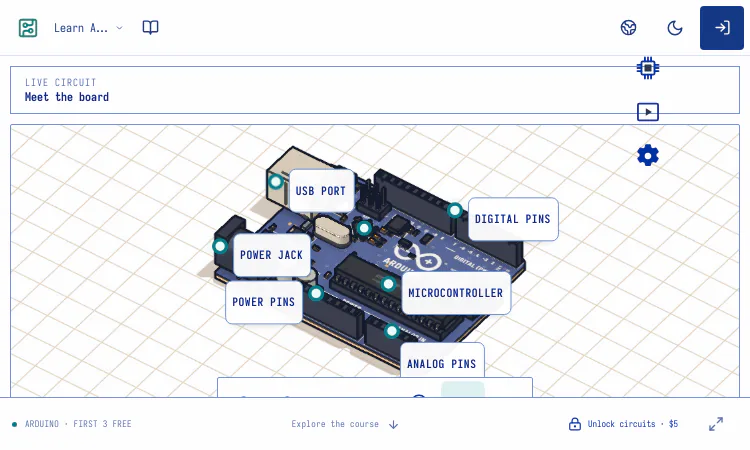
Learn Arduino is an interactive electronics course whose real product is not the 3D board or the 16 lessons — it is the learning loop. Every experiment in the Learn Arduino workbench follows the same disciplined cycle: predict what a change will do, run the simulation, compare the result with your prediction, and repeat until the relationship makes sense. That loop, executed inside a browser with immediate visual feedback, is why people who use Learn Arduino don't just watch electronics happen — they learn Arduino the way understanding is actually built.
The course states its method in three words — explore, predict, experiment — and then builds every lesson around it. In practice:
What makes this loop powerful is latency. In physical electronics, the distance between question and answer is long: find the resistor, rebuild the circuit, re-flash the board. In the Learn Arduino workbench the loop closes in seconds, so you can run a dozen mental-model tests in the time a hardware session would take to set up. Velocity of feedback is the whole game in learning, and Learn Arduino has it in abundance.
The 16 Learn Arduino lessons give the loop something meaningful to iterate on, escalating from components to systems:
Because each Learn Arduino lesson models one component with adjustable values, the loop has clean variables: change one thing, observe one effect, update one belief. The workspace co-locates the board, the schematic, the current-flow view and the sketch so every observation is inspectable — you are never told a result you cannot see the mechanism of.
The Learn Arduino team is honest about the trade. The simulator uses teaching models that simplify electrical behaviour; it does not compile arbitrary C++ or upload sketches over USB. For running the predict-compare-repeat loop, that simplification is a feature — no wiring errors, no dead LEDs, no driver installs interrupting the cycle. For physical intuition, there is eventually a handoff: the course directs you to component specifications and the Arduino IDE when you are ready to build real circuits. The loop you trained in the Learn Arduino workbench transfers, because prediction and comparison are mental skills, not electrical ones.
Everything runs in the browser — JavaScript and WebGL power the 3D view — with touch controls and a compact course drawer for smaller screens, though the board and code read best side by side on a larger display. The first three lessons are free; the remaining 13 are a one-time $5 lifetime unlock tied to your Google account, with no subscription. Progress stays in the current browser, which suits loop-running within a session; purchases persist across devices. Sibling courses Protocol Explorer and Learn Bitcoin apply the same loop philosophy to networks and money, if your curiosity migrates.
Two habits sharpen the Learn Arduino loop fast. First, write predictions down: a one-line guess before each Learn Arduino run converts vague familiarity into a testable claim, and wrong guesses become the most valuable lines in your notes. Second, change one Learn Arduino variable at a time — the workspace makes this easy because each lesson exposes a single adjustable component, so the Learn Arduino comparison stays clean. If a result surprises you, loop again on the same setting rather than advancing; the Learn Arduino lessons reward reruns, and three careful passes on one circuit beat nine skims across three. Teachers can run the same Learn Arduino loop socially: collect the class's Learn Arduino predictions, run the simulation once, and discuss the deltas. That single protocol, repeated across the Learn Arduino curriculum, turns a browser course into a lab course.
Learn Arduino wins on method: a predict-compare-repeat loop with second-scale feedback, wrapped in a 16-lesson curriculum from first pin to parking sensor. Three lessons free, $5 once, no subscription. If you want to learn Arduino with the rhythm of an experiment instead of the passivity of a tutorial, the Learn Arduino workbench is the loop you have been looking for.
What exactly is the "loop" in Learn Arduino? Explore, predict, experiment: form a prediction, run the Learn Arduino simulation, compare it with reality, adjust, and repeat until you can explain the result.
Why simulate instead of using real hardware? Loop latency. The Learn Arduino workbench closes the question-to-answer cycle in seconds, so you run many more experiments per hour than hardware allows.
Does the loop work for absolute beginners? Yes — the three free lessons are sized for it, and each Learn Arduino lesson changes one variable at a time.
Can I run my own code through the loop? Not in the simulator. Learn Arduino runs supplied teaching sketches with adjustable values; custom programming continues in the Arduino IDE.
What does continuing the loop cost? The first three lessons are free; a one-time $5 unlocks the other 13 Learn Arduino lessons for life.

Flying Roadster AI Video Generator makes a personal flying car video from your photos, with optional driver portrait and an easy path to share the result.

GCS Cheats provides undetected game hacks, aimbots, ESP, and verified configs across 41 multiplayer titles with instant digital key delivery.
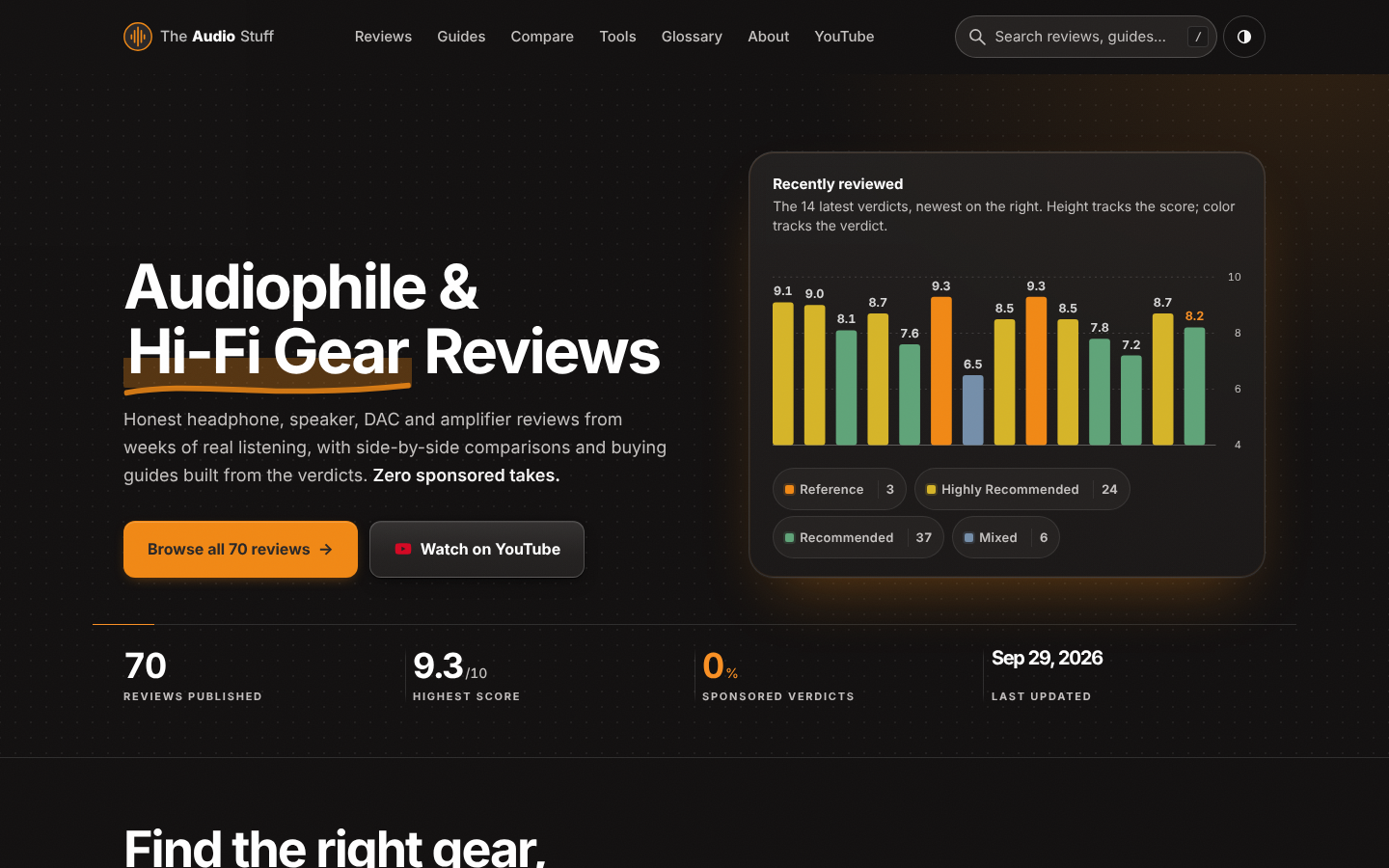
Headphone, DAC, amp and speaker reviews with pros, cons, price history and the one catch to know, from weeks of real listening. No ads, no affiliate links.

Project Moon Life is a free life simulator about personal choices, unexpected turns, and the stories that grow from a resident’s changing circumstances.

AI-powered face analysis that turns a photo into detailed measurements, style insights, and personalized recommendations.
Upload a photo. Get the maker, age, and value — Antique Scanner reads marks, materials and wear so you know what your antique is worth.